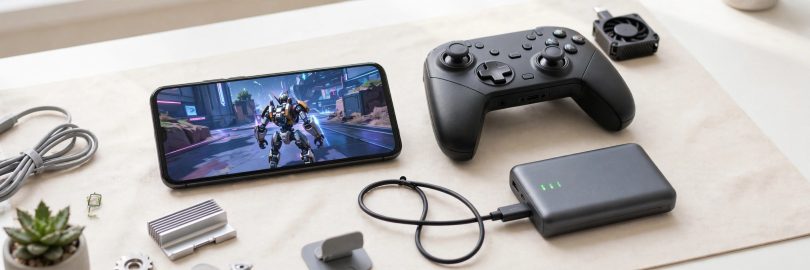

Good Android gaming tips can completely change how your favourite games feel, even on a mid-range phone that is a few years old. Stuttering frame rates, overheating, and a battery that dies before your session ends are usually not hardware failures; they are settings problems. These Android gaming tips walk you through the display, performance, battery, and network adjustments that deliver smoother gameplay without spending a single rupee on a new device.
Start With Your Display Settings
Your screen is the single biggest factor in how a game looks and how hard your phone has to work. If your device supports a high refresh rate such as 90Hz or 120Hz, enable it for noticeably smoother motion in racing and action titles. If your phone struggles, do the opposite: lock the game to a stable lower frame rate instead of letting it jump between fast and slow, because a steady 30 frames per second feels far better than an unstable 45.
Resolution and Graphics Quality
Most popular games include their own graphics menus, and the defaults are rarely ideal. Lowering shadow quality and turning off motion blur usually recovers more performance than dropping the main resolution. Anti-aliasing is another expensive effect that can be reduced with little visible difference on a small phone screen. Change one setting at a time and play a short match after each change so you can feel what actually helped.
Free Up Performance Before You Play
- Close background apps, especially social media and browsers holding many tabs.
- Restart your phone once a week to clear memory leaks and stuck processes.
- Keep at least 10 to 15 percent of storage free, because a nearly full drive slows the whole system.
- Turn off automatic app updates while gaming so your connection and processor stay focused.
- Remove or disable bloatware you never use.
Use Game Mode and Performance Tools
Almost every Android manufacturer now ships a game launcher or booster. These tools are worth using properly rather than ignoring. They can block notifications during play, lock brightness, prioritise network traffic for your game, and stop background syncing. Notification blocking matters more than people think: one pop-up message at the wrong moment has ruined countless ranked matches, and the same distraction problem is covered from a study angle in this guide on avoiding distractions during online study.
Touch and Audio Settings Players Forget
Raise touch sampling or sensitivity settings if your game offers them, especially for shooters where aiming precision decides matches. Use wired earphones or a low-latency wireless mode for rhythm and competitive games, because standard Bluetooth audio delay can make fast reactions feel unresponsive even when the game itself is running perfectly.
Keep Your Phone Cool
Heat is the silent performance killer. When a phone gets hot, the processor automatically slows down to protect itself, a behaviour called thermal throttling, and your smooth game suddenly stutters. Play in a cool room when possible, remove thick cases during long sessions, never charge with a fast charger while gaming if you can avoid it, and take short breaks between long matches. If your phone regularly becomes hot within ten minutes, lower the graphics settings before blaming the device.
Battery Tips for Longer Sessions
Battery anxiety shortens gaming sessions, but a few habits stretch your playtime considerably:
- Lower screen brightness manually; auto-brightness often runs brighter than needed indoors.
- Prefer a stable Wi-Fi connection over mobile data, which consumes more power in weak-signal areas.
- Download game resources in advance instead of streaming them during play.
- Carry a modest power bank on travel days instead of pushing a hot battery to its limit.
Battery awareness is also part of general consumer safety with games and apps, a theme explored further in our practical consumer safety guide, which is a good companion read for anyone who installs games frequently.
Network Tips for Online Games
If you play online multiplayer titles, your connection deserves as much attention as your graphics settings. Sit as close to the router as practical, and prefer the 5 GHz Wi-Fi band for lower latency when you are in the same room. Mobile data can be excellent on a strong 4G or 5G signal but becomes unstable when the signal drops to one or two bars, so switch networks rather than fighting a bad one. Close downloads, cloud backups, and streaming apps on all devices sharing your connection during important matches, and if your game shows a ping display, check it in the lobby before the match starts rather than discovering a problem mid-game.
A Quick Pre-Game Checklist
- Airplane mode off, battery saver off, game mode on.
- Background downloads and updates paused.
- Brightness set manually and notifications blocked.
- Phone case loosened if you expect a long session, for better cooling.
- Power cable or power bank nearby if your battery is below 30 percent.
Running through this thirty-second checklist before ranked or competitive play prevents most of the avoidable problems players blame on their phone or their internet provider.
Accessories That Actually Help
You do not need an expensive setup, but two inexpensive accessories make a genuine difference. A phone grip or a simple stand reduces hand fatigue during longer sessions and keeps your fingers from covering the speakers and vents. A basic clip-on controller transforms racing, platform, and retro games by restoring physical buttons, and most connect over Bluetooth with no complicated setup. What you can skip: cooling fans and “gaming” cases rarely change temperatures enough to justify their cost for casual play.
Know When It Really Is the Hardware
Settings can do a lot, but honesty matters too. If a brand-new, demanding game stutters on the lowest settings on a phone with 3 GB of RAM, the device has reached its limit for that title. In that case, choose the lighter “lite” versions many publishers release, or enjoy the huge library of slightly older games that your phone runs beautifully. Matching the game to the device is itself one of the smartest Android gaming tips, and it costs nothing.
Conclusion
These Android gaming tips share one simple idea: small settings changes add up to a big difference. Tune your display and graphics, free up resources before playing, keep the phone cool, and manage notifications and battery intelligently. Apply them one at a time, notice what improves your favourite game most, and you will get flagship-feeling gameplay out of the phone already in your pocket.